Add Spa & Wellness
Set up your spa and wellness services so guests can browse and request treatments from the TV.
Add Spa & Wellness
What you'll learn: How to add a spa or wellness outlet — different from a restaurant in that guests reserve treatments rather than placing food orders.
Time needed: 15 minutes.
Before you start
You'll need:
- Login access. See First Login.
- The spa's name, description, opening hours.
- Optionally: photos for the spa and each treatment.
- The list of treatments (massages, facials, etc.) with their durations and prices.
Step 1: Open Points of Sale
In the left sidebar, under SERVICES, click Points of Sale.
Click the Spa filter chip at the top to see existing spa outlets (probably none yet).
Step 2: Add a Spa point of sale
Click [+ Add Point of Sale] at the bottom right.
In the type picker, choose Spa (described as "Wellness & treatments").
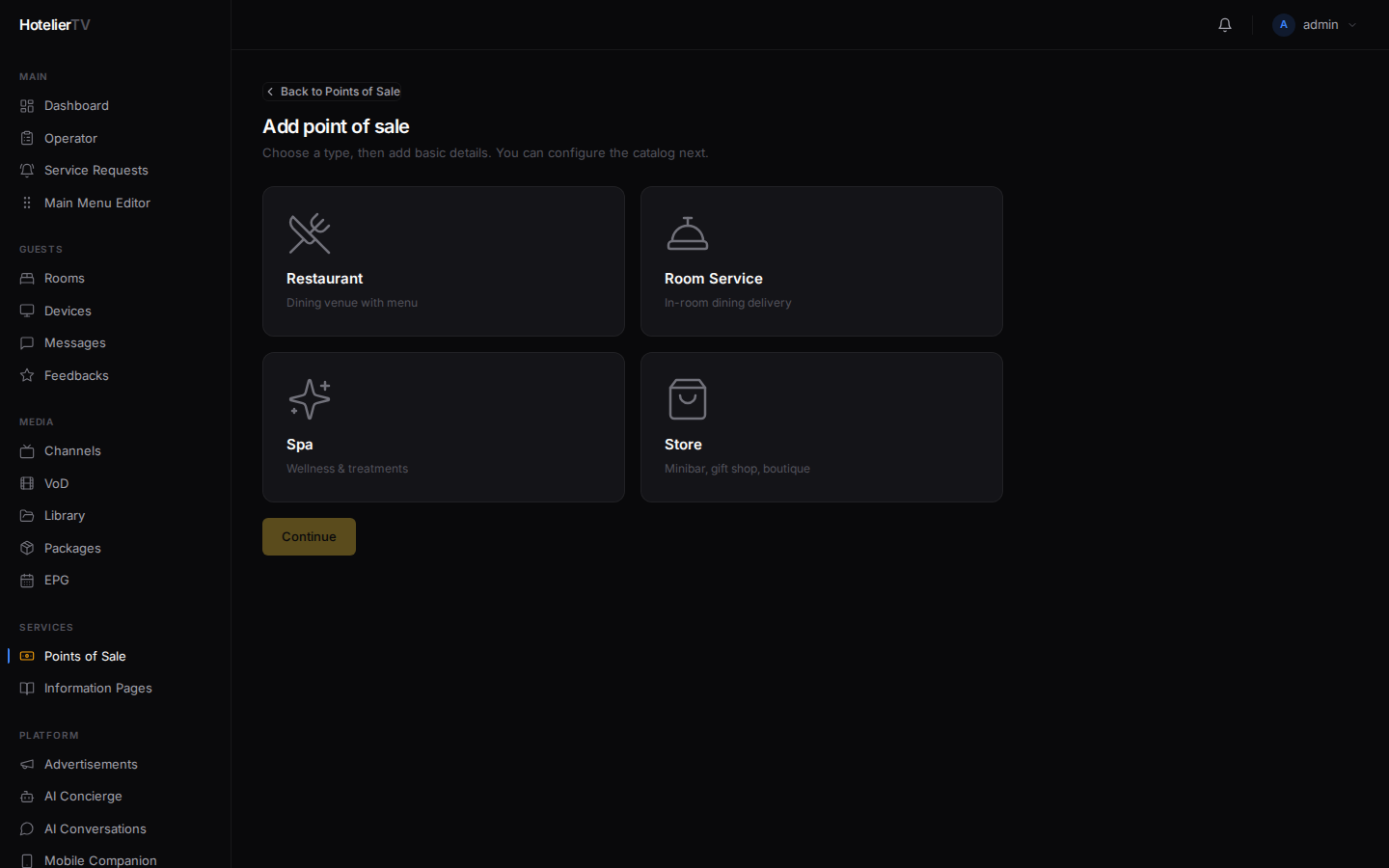
Click [Continue].
Step 3: Fill in details
Fields specific to Spa:
- Name (required) — e.g. "Aurum Wellness".
- Description — short text shown to guests.
- Image URL — hero photo of the spa.
- Operating hours — per-day text fields.
- Default treatment duration (minutes) — defaults to
60. Used when a treatment doesn't specify its own. - Advance notice (hours) — defaults to
24. How far in advance guests must book a treatment.
Click [Create and continue to catalog].
Step 4: Add categories and treatments
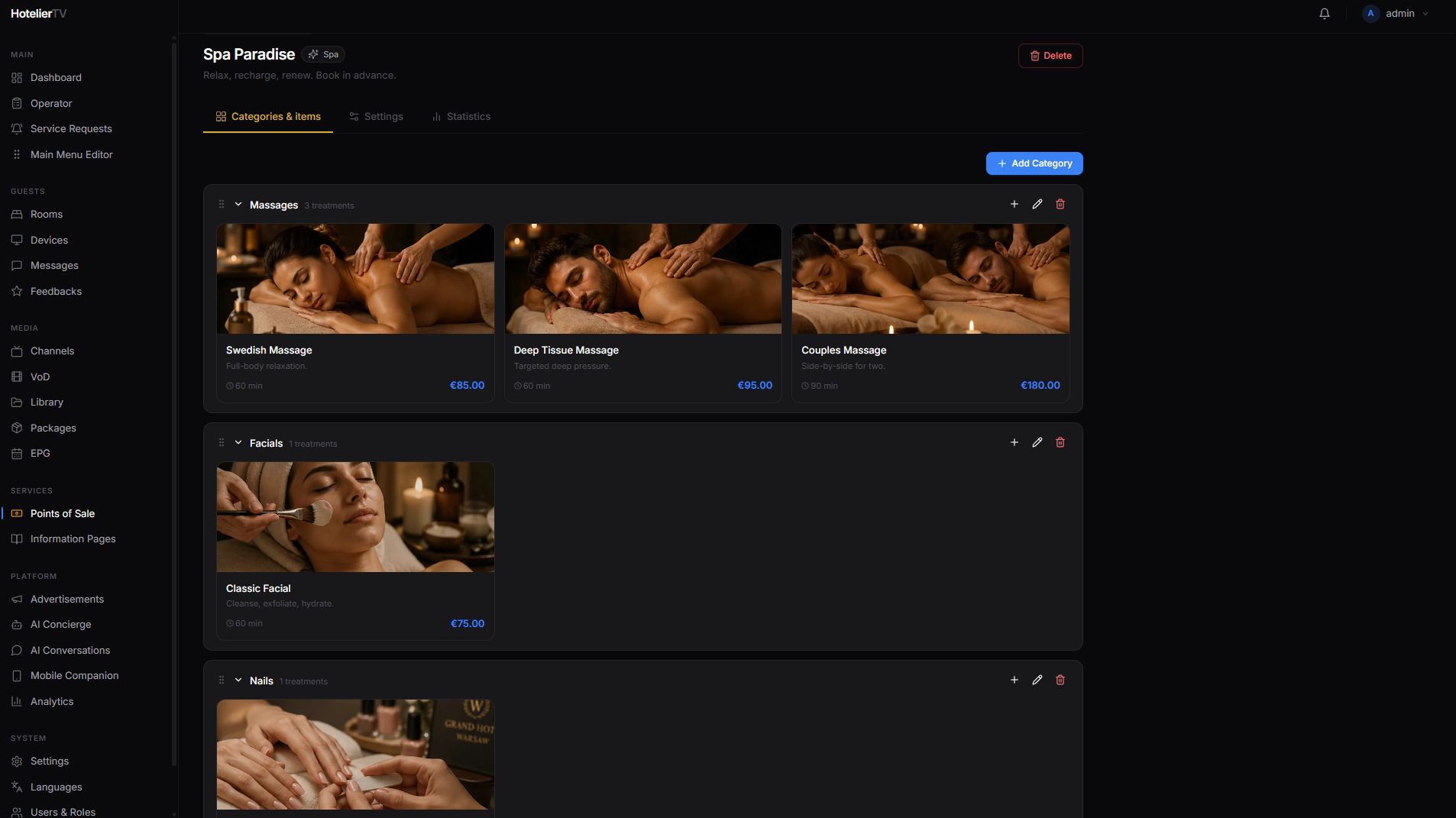
You land on the spa's editor page. Add categories like Massages, Facials, Body Treatments, Pool & Sauna.
Within each category, click [+ Add item] and fill in:
- Name — e.g. "Deep Tissue Massage".
- Description — what the treatment does.
- Price.
- Duration (in minutes).
- Photo.
Tip: Even if you don't take bookings through the TV, listing treatments helps guests know what's available. The spa's phone number should be in Settings → Identity so guests can call to book.
Step 5: Add a tile to the main menu
Same as for a restaurant:
- Main Menu Editor → [+ New item].
- Set Type to Service Area.
- Target = your new spa.
- Pick a nice title, icon (e.g. "sparkles" or "spa"), and background.
- Save.
What if it doesn't work?
Spa not in the dropdown when creating a menu tile: Make sure the spa's Active toggle is on.
Treatments don't have a duration: Each treatment can have its own duration, or fall back to the Default treatment duration you set on the outlet.
Image upload fails: Use JPG, PNG, or WebP under 5 MB.