Suggested Questions
Set the example questions guests see on the AI chat screen to nudge them toward useful conversations.
Suggested Questions
What you'll learn: How to customize the example questions that appear on the AI Concierge screen — the little prompts like "What time is breakfast?" that guests can tap instead of typing.
Time needed: 5 minutes.
Before you start
You'll need:
- AI Concierge enabled. See Set Up AI Concierge.
- A list of common questions guests at your hotel actually ask.
Step 1: Open the Suggested questions tab
Go to AI Concierge → Suggested questions tab.
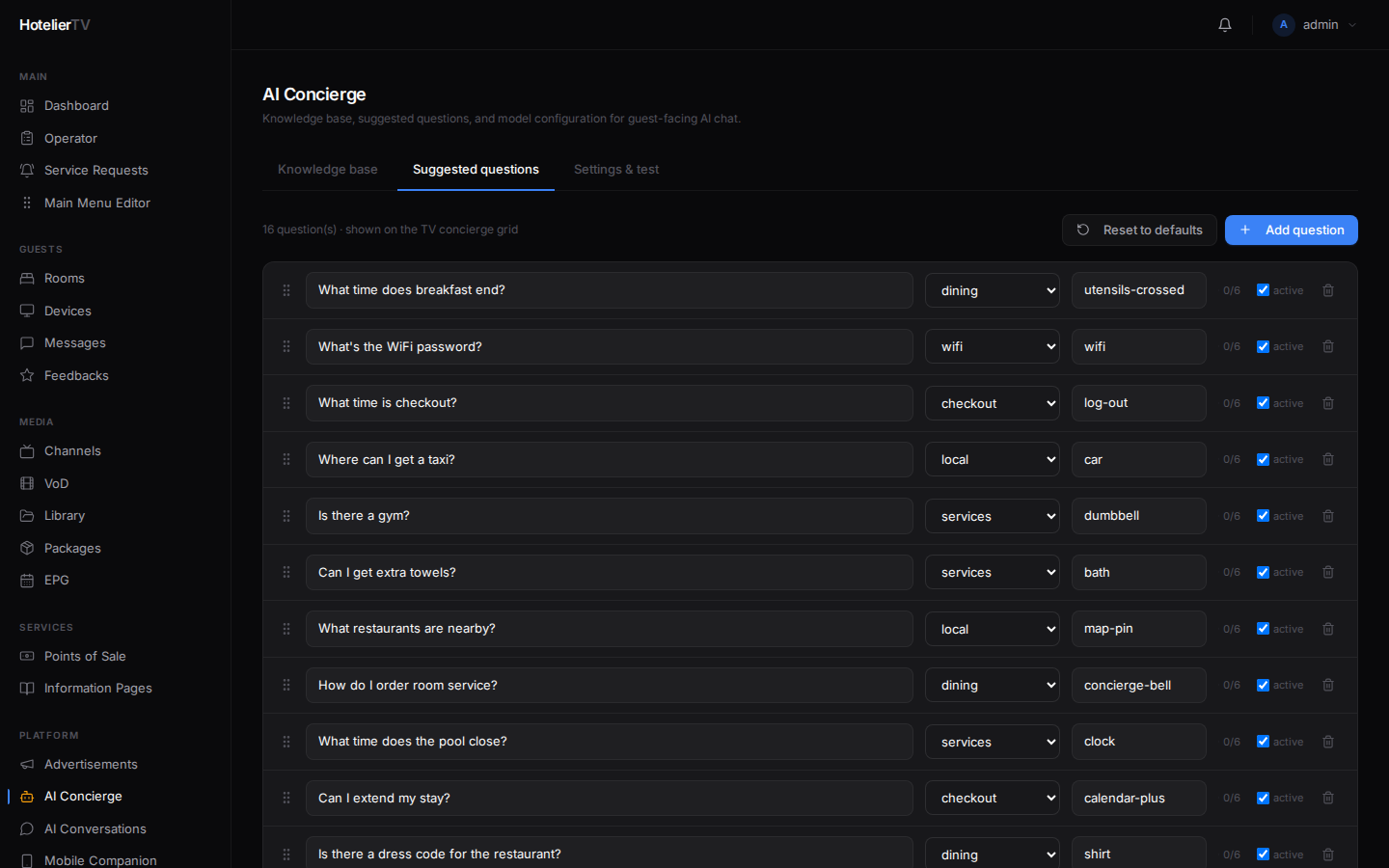
If this is your first time, the list will be empty. Click [Reset to defaults] to seed 15 starter questions you can edit.
Step 2: Add or edit questions
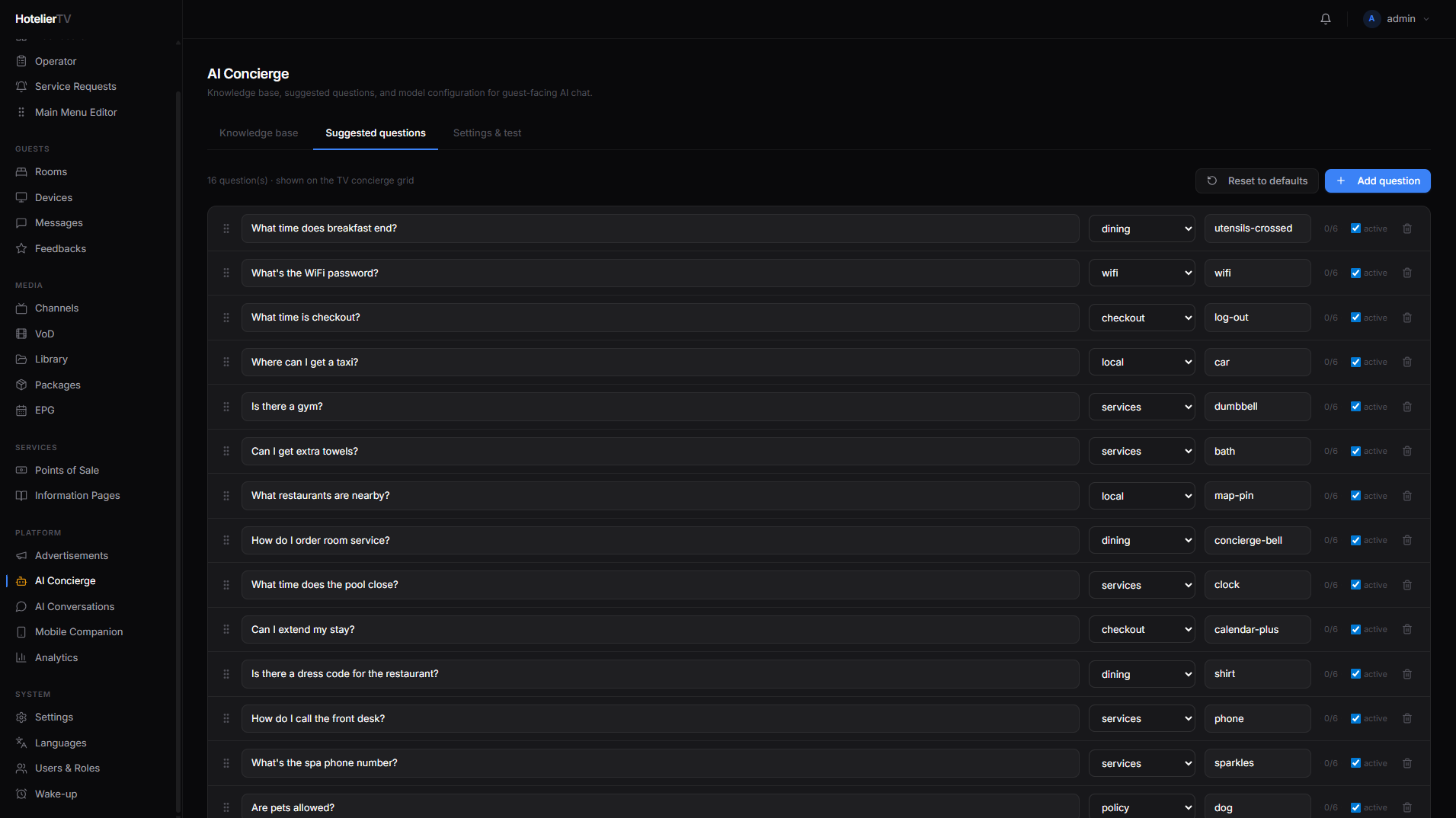
Each row in the list shows:
- A drag handle — drag rows up/down to reorder.
- The question text in English (required).
- A category dropdown — groups the question.
- A lucide icon name — small icon shown next to the text.
- A chevron — click to expand for translations into all your enabled languages.
Click [+ Add question] at the top right to add a new one. Type the English text, pick a category, save (auto-saves on blur).
Step 3: Add translations
Click the chevron on a question row to expand it. You'll see fields for each enabled language. Type the translation in each.
If you skip a language, the English text shows as a fallback.
Step 4: Pick good questions
What works:
- Direct, common questions: "What time is breakfast?" / "Is there a gym?"
- One-tap useful answers: "What's the WiFi password?" / "How do I call reception?"
- Local discovery: "What's worth seeing nearby?" / "Where's the nearest pharmacy?"
- Practical ordering: "Can I get extra towels?" / "What's on the room-service menu?"
What doesn't:
- Yes/no questions — too dead-end.
- Questions with no answer in your knowledge base — the AI will guess and embarrass you.
- Long-winded questions — guests scan-read; aim for under 8 words.
Step 5: Reorder
Drag the most-clicked questions to the top. The order matters — guests rarely scroll.
What if it doesn't work?
Reset to defaults wiped my custom ones: That's what reset does — it replaces your list with a fresh starter set. Edit individual questions instead next time, or export your custom list before resetting.
Translations don't appear on the TV:
- Check the language is enabled in Settings → Languages.
- The TV may have cached the old set. Use Devices → Cache reload.
Questions don't appear at all on the TV:
- The AI Concierge tile must exist in the Main Menu (Type = AI Concierge).
- AI Concierge must be enabled in Settings & test.