The 30-Day Hotel Technology Readiness Plan Before Peak Season
August 18, 2026
Research period: May 2026
By COTT.TV Hospitality Technology Research Desk·Published August 18, 2026·4 min read

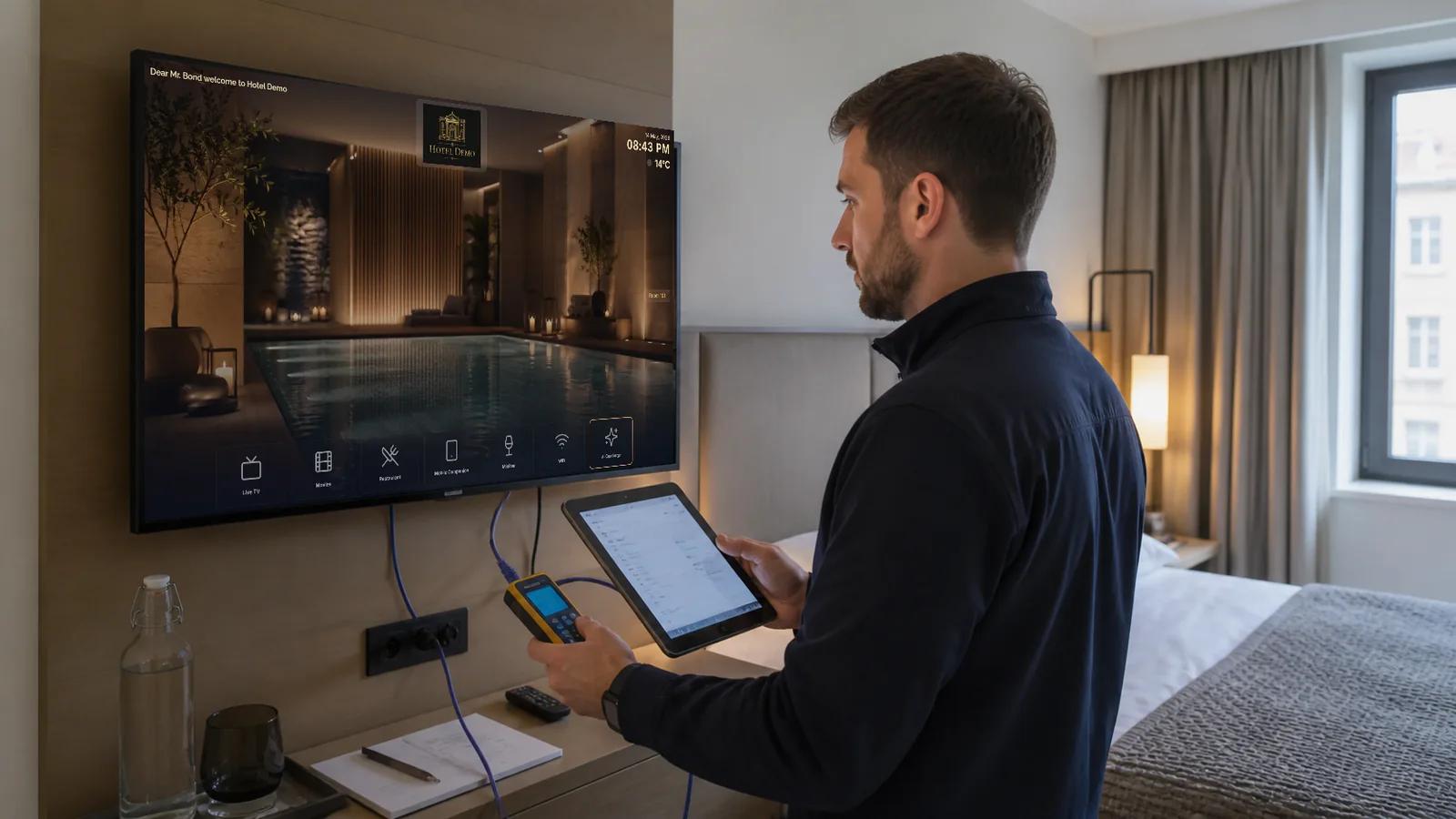
Quick Summary
Freeze the operating scope 30 days before peak occupancy, audit every room and content source, rehearse failures, verify guest data removal, train every shift and keep a short defect list with named owners.
Peak season is the wrong time to discover that a television loses its room assignment after a power cut, a restaurant menu is six months old or the night team cannot reach the person who controls the guest interface. A readiness review should therefore test the whole service, not merely confirm that devices switch on.
Why a 30-day window works
Thirty days is long enough to order a small number of replacement devices, correct content and schedule vendor support, but short enough that the results still describe the property that guests will encounter. The process should cover the network, televisions, applications, PMS events, guest information, staff routing and commercial services.
Eurostat recorded 471 million nights in EU tourist accommodation in the first quarter of 2026, 3.4% more than a year earlier. HOTREC also estimates that hospitality is still missing around 10% of its workforce. Higher demand and constrained teams make reliability and simple recovery procedures operational priorities, not IT luxuries.
Days 30-24: freeze the scope
Create one inventory of rooms, screens, firmware, room numbers, network ports and deployment type. Confirm which channels and services should be available in each country and property. Assign one owner to every integration and one decision-maker for launch.
Do not add speculative features during this week. Decide what must work for opening, what may follow later and what is explicitly out of scope. Capture current versions and back up configuration before changing anything.
Days 23-17: test every room class
Test at least one room from every floor, television model, network segment and room category. Then sample the remaining rooms systematically. Check cold start, standby recovery, remote control, live TV startup, channel change, audio, picture fit, Wi-Fi information, hotel services and checkout reset.
Record the result against the room and device. A statement such as "TVs tested" is not evidence. A useful log contains room, model, serial or MAC, firmware, test time, tester and defect.
Days 16-10: test failures and data hygiene
Disconnect the internet, interrupt a stream, reboot the television and simulate a PMS checkout. Confirm that the guest sees a clear state and that staff know what to do. After checkout, the previous guest's name, messages, sessions, casting relationships and OTT credentials must not remain available.
The European Commission's GDPR guidance stresses data minimisation, storage limitation and appropriate safeguards. For a room system, the practical test is simple: the next guest should receive a clean room experience, while the hotel retains only the operational records it genuinely needs.
Days 9-4: train every shift
Give reception, housekeeping, engineering and the night team short role-specific tests. Each person should know how to identify the room, confirm whether the issue is local or property-wide, restart the approved component and escalate with useful evidence.
Training should use real scenarios: a blank screen at 23:00, a wrong breakfast time, a room move after check-in and a checkout that did not clear. Keep the runbook short enough to use under pressure.
Days 3-0: close, monitor and hold
Fix critical defects, accept low-risk exceptions explicitly and stop unnecessary configuration changes. Put dashboards, vendor contacts and spare devices where the duty team can reach them. During the first high-occupancy days, review incidents each morning and remove recurring causes rather than repeatedly treating symptoms.
The minimum acceptance record
| Area | Evidence before go-live |
|---|---|
| Rooms and devices | Inventory reconciled and representative rooms passed |
| Live TV | Startup, channel change, audio and picture checked |
| Guest data | Checkout and room move reset verified |
| Services | Current hours, prices and routing owners confirmed |
| Network | Capacity, segmentation and failure behaviour tested |
| Support | Every shift has escalation and spare-device access |
How COTT.TV supports readiness
COTT.TV centralises rooms, devices, channels, services and guest information while supporting direct deployment on validated hospitality televisions or preconfigured STBs. The same platform gives operators a consistent acceptance checklist across cloud, on-premise and mixed properties. A live platform demonstration is more useful than testing a static presentation.
Sources and further reading
Related Posts
Hotel PMS Events for TV Systems: Check-In, Room Move and Checkout Done Properly
2026-10-02
An event-driven integration pattern with idempotency, reconciliation, privacy controls and failure recovery for hotel room technology.
Secure Hotel Casting in 2027: AirPlay, Google Cast and Checkout Privacy
2026-09-22
A technical and operational guide to room-specific pairing, network isolation, checkout reset and acceptance testing for hotel casting.
Housekeeping and Maintenance Requests: Designing a Closed-Loop Workflow
2026-09-01
A practical workflow for turning guest and staff requests into accepted, timed and verified tasks instead of messages that disappear between departments.